Key Takeaways
- CAE (Computer-Aided Engineering) is upstream pre-design validation. You use it during the design phase to simulate how a product will behave under load, heat, or fluid flow before committing to manufacturing.
- CAM (Computer-Aided Manufacturing) is downstream post-design execution. You use it after the design is locked to generate the toolpaths and machine code that physically produce the part.
- CAE typical techniques: FEA (Finite Element Analysis for structure), CFD (Computational Fluid Dynamics for flow), thermal analysis, and dynamic/fatigue analysis. They all answer 'will this design work?'
- CAM is pure execution: read the CAD geometry, apply tooling rules, simulate the toolpath, output G-code. It answers 'can we machine this and how long will it take?'
- The product lifecycle is: Concept → CAD Design → CAE Validation → CAM Manufacturing. If CAE says 'this will fail,' you go back to CAD. If CAM says 'this is unmachinablе,' you go back to CAD. Only designs that pass both gates make it to the shop floor.
Short Answer
CAE (Computer-Aided Engineering) is software for simulating and validating how a design will perform under real-world conditions — stress, heat, vibration, fluid flow — before you manufacture it. CAM (Computer-Aided Manufacturing) is software for converting a validated CAD design into toolpaths and machine code for manufacturing. CAE happens during design (upstream); CAM happens after design is locked (downstream). Both are essential: CAE catches designs that won't work; CAM catches designs that can't be manufactured.
- CAE is validation (does it work?). CAM is execution (can we make it?).
- CAE uses simulation; CAM uses real geometry and tooling rules.
- CAE is expensive per analysis but prevents expensive manufacturing failures. CAM is routine and repeatable.
- A design validated by CAE but rejected by CAM sends the design back to the CAD engineer, not to CAE.
- Most organizations have separate CAE and CAM teams because the skill sets are different.
Why it matters: A design that's structurally sound (passes CAE) but impossible to manufacture (fails CAM) is a failure of communication, not a failure of either tool. Equally, a design that's easy to manufacture (passes CAM) but will fail under load (fails CAE) is a failure of validation. The product lifecycle depends on both gates working correctly and talking to each other. In organizations that skip CAE (manufacturing shops that can't afford simulation software), design failures make it into production and become very expensive recalls. In organizations that skip CAM input during design (engineering teams that don't involve manufacturing), manufacturability surprises show up at the last minute and blow the timeline.
The One-Sentence Answer
CAE validates designs by simulation before you commit to manufacturing; CAM executes manufacturing after the design is locked. Both are essential gates; only designs that pass both can ship.
What CAE Is (Pre-Design Validation)
Computer-Aided Engineering is upstream software for simulating how a design will behave under real-world conditions: structural loads, temperature, vibration, fluid flow, and more. It's where engineers test designs digitally before committing to prototyping or manufacturing.
CAE techniques fall into a few major categories:
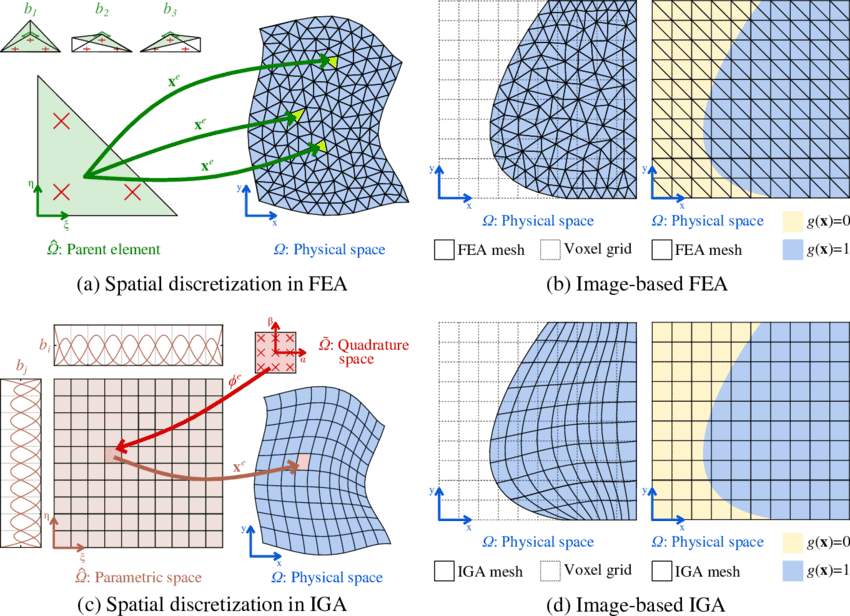
Finite Element Analysis (FEA) — the most common. You create a mesh (a discretized version of your geometry), apply loads and constraints, and solve for stress, strain, deformation, and safety factors. FEA tells you whether a structure will break, buckle, or fatigue-fail under the specified loads.
Computational Fluid Dynamics (CFD) — for optimizing flow around or through a design. Predict pressure drops, heat transfer, turbulence, and flow separation. CFD is essential for aerodynamics, cooling systems, and pumps.
Thermal Analysis — for predicting temperature distribution and thermal stress. A component that works fine at room temperature might warp, crack, or fail when heated. Thermal analysis catches those problems during design.
Dynamic and Fatigue Analysis — for predicting how designs behave under vibration, impact, or cyclic loading. A component that's strong under static load might fail after a million vibration cycles.
The common thread: all CAE techniques answer the question "will this design work?" before you manufacture it.
What CAM Is (Post-Design Execution)
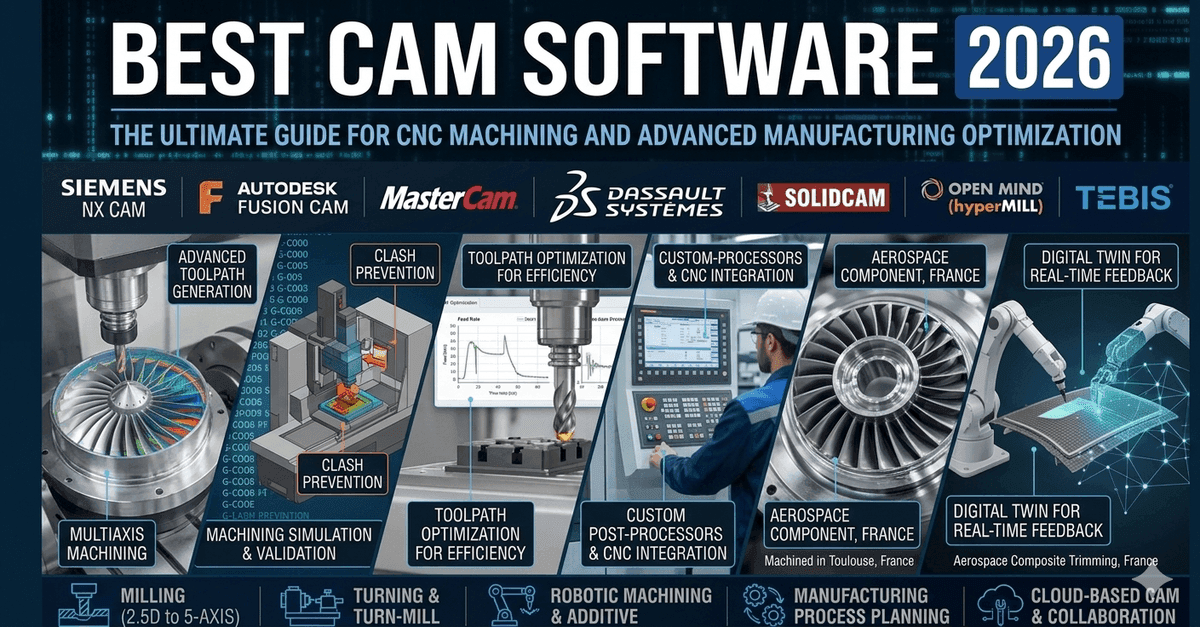
Computer-Aided Manufacturing is downstream software that takes a finished, validated CAD design and generates the toolpaths and machine code (G-code) that tell a CNC machine how to cut and shape material into the part. It's where engineers focus on manufacturing feasibility and cost per part.
CAM is simpler conceptually than CAE:
- Read the CAD geometry — import the 3D model and 2D drawings
- Apply tooling rules — which cutting tools are available? What are their speeds, feeds, and capabilities?
- Generate toolpaths — convert the geometry into linear (G01) and circular (G02/G03) moves that the CNC machine can execute
- Simulate the toolpath — visualize the cutting process, detect collisions between tool and workpiece, validate tool engagement
- Output G-code — post-process the generic toolpath into the specific G-code dialect that your machine understands
CAM answers the question "can we manufacture this, and how long will it take?"
The Difference: Upstream Validation vs Downstream Execution
CAE happens during design. You create a design in CAD, analyze it in CAE, and if it fails, you go back to CAD and revise the geometry. The iteration cycle is: CAD → CAE → CAD (if needed) → CAD → CAE → [repeat until CAE says yes].
CAM happens after design is locked. The CAD design is finalized, handed off to manufacturing, and CAM engineers generate the toolpaths. If CAM says "this is unmachinablе" or "the tool will break on that corner," the design goes back to CAD for revision. But CAM doesn't iterate the same way CAE does — it's more of a yes/no gate: "does this design pass manufacturing feasibility?"
Timeline:
- Concept → CAD modeling → CAE validation → CAD revision (if needed) → CAD finalized → CAM toolpath → Manufacturing → Production
Skill sets are different:
- CAE engineers think about stress, temperature, vibration, material properties, failure modes
- CAM engineers think about tool availability, spindle speed, feed rate, surface finish, cycle time, cost per part
Tools are often separate:
- CAE: ANSYS, COMSOL, Abaqus, or integrated solvers in CAD packages
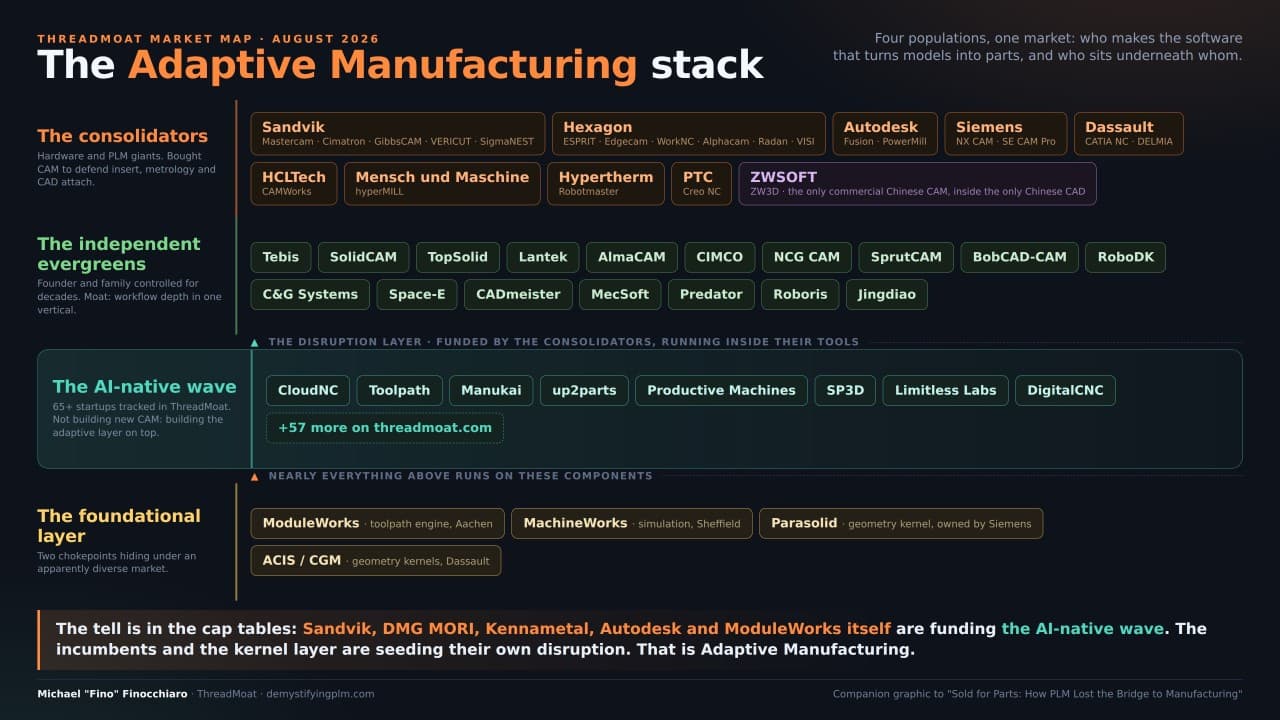
- CAM: Fusion 360 CAM, Siemens NX CAM, PTC Creo CAM, Mastercam, or standalone CAM software
How They Work Together
The product lifecycle depends on both gates working correctly:
CAE catches designs that won't work — structural failure, thermal warping, vibration resonance, fluid-induced fatigue. A design that passes CAE is approved for manufacturing. A design that fails CAE goes back to the CAD engineer: add material, change the geometry, upgrade the material, or revise the functional requirements.
CAM catches designs that can't be manufactured — tight tolerances that require tool precision beyond what you have, sharp corners that will break the tool, undercuts that require special tooling, or cost-per-part that exceeds the budget. A design that passes CAM is approved for the shop floor. A design that fails CAM also goes back to CAD: relax the tolerance, fillet the corner, add clearance, or find a more manufacturable geometry.
A design that passes both gates is ready for production.
Why You Need Both
Skip CAE and you'll discover structural failures in the field — after shipping, after customers are using the product. Those failures are expensive: recalls, lawsuits, reputation damage.
Skip CAM input during design and you'll discover manufacturability surprises at the last minute — either the design is unmachinablе and needs rework, or it's so expensive to manufacture that you can't hit the cost target. Both scenarios blow the timeline and budget.
Organizations that run both CAE and CAM well make informed decisions early: CAE validates that the design is safe and functional; CAM validates that it can be produced cost-effectively. Problems get caught during design iteration (cheap) rather than during manufacturing or in the field (expensive).
When to Use Each
Use CAE when:
- Designing structural components that will be loaded (brackets, chassis, pressure vessels)
- Designing thermal components (heat sinks, coolers, furnace insulation)
- Designing aerodynamic surfaces (wings, fairings, intake ducts)
- Designing fluid systems (pumps, heat exchangers, cooling circuits)
- You want to optimize for lightness, strength, or efficiency before committing to manufacturing
- You're required by regulation (aerospace, medical, automotive) to validate designs by simulation
Use CAM when:
- You've finished the CAD design and are ready to plan manufacturing
- You need to know cycle time and cost per part
- You want to simulate the toolpath to catch collisions and optimize feed rates
- You're evaluating whether a design is manufacturable with available tools and equipment
- You're generating the G-code to run on the CNC machine
Conclusion
CAE and CAM are complementary gates in the product lifecycle. CAE is the upstream gate that says "this design will work." CAM is the downstream gate that says "we can manufacture it, and here's the cost and cycle time." Only designs that pass both gates ship to production. Understanding what each tool does — and when to use it — is essential for manufacturing products that are both functional and cost-effective.
The takeaway: A structurally perfect design that's impossible to manufacture is a failure of CAM input during design. A design that's easy to manufacture but will fail under load is a failure of CAE validation. Both tools are essential, and both have to say yes.
Want to listen instead of read? 56 DemystifyingPLM articles are available as audio.
Browse audio →Looking up PLM terminology? Browse the canonical reference.
PLM Glossary →Cite this article
Finocchiaro, Michael. “CAM vs CAE: When You Validate Before Manufacturing.” DemystifyingPLM, October 2, 2023, https://www.demystifyingplm.com/cam-vs-cae
PLM industry analyst · 35+ years at IBM, HP, PTC, Dassault Systèmes
Firsthand knowledge of the evolution from early 3D modeling kernels to today's cloud-native platforms and agentic AI — the history, strategy, and future of PLM.