Show all chapters ▸Hide chapters ▾
- 1Best CAD Software 2026: The Engineer's Honest Guide
- 2Best PLM Software 2026: Q1 Edition (Archived)
- 3Best CAM Software 2026: The Machinist's Independent Guide
- 4Best MES Software 2026: Q1 Edition (Archived)
- 5Best Simulation Software 2026: Incumbents, Specialists, and the New Constellation
- 6Best MES Software 2026: The Manufacturer's Independent Guide
- 7Best PLM Software 2026: The Independent Buyer's Guide
- 8Best Operations & Asset Management Software 2026: The CIO's Independent Buyer's Guide
- 9Best BIM Software 2026: The Independent Buyer's Guide for AEC and Owner Organizations
- 10Best IIoT Platforms 2026: The Manufacturer's Independent Buyer's Guide
- 11Best SCM Software 2026: The Supply Chain Independent Buyer's Guide
Key Takeaways
- CAD selection is tightly coupled to PLM selection — the two decisions should be made together, not sequentially
- Supply chain and industry ecosystem constrain CAD choice more than any feature comparison — your OEM's preferred format is your format
- Cloud CAD (Onshape, Fusion) is not a feature compromise for most use cases — it is a deployment model change with real workflow advantages
- SolidWorks' dominance is driven by the support ecosystem, not the software — 8,000 certified training partners globally
- CATIA's complexity is a feature, not a bug — programs that use it need what it does; programs that don't need it should not use it
Short Answer
The best CAD software in 2026 depends on your industry and PLM ecosystem. For aerospace and complex surface design: CATIA. For automotive and precision mechanical: Siemens NX. For industrial equipment and mechanism-heavy design: PTC Creo. For mid-market mechanical engineering: SolidWorks or Solid Edge. For cloud-first teams: Onshape. For product development startups: Autodesk Fusion 360. For manufacturing-aware generative design with parametric output: InfinitForm. For AM design and geometry infrastructure: Metafold3D, nTop, or Cognitive Design. No single tool is best across all categories.
- CATIA dominates aerospace, automotive body design, and surface-intensive programs — complex surfaces that NX and Creo cannot match
- Siemens NX dominates precision automotive (powertrain, chassis), advanced manufacturing (NX CAM), and programs requiring integrated simulation (Simcenter)
- PTC Creo is the parametric standard for industrial equipment, consumer products, and mechanism-heavy design
- SolidWorks is the dominant midmarket tool for general mechanical engineering — most engineers know it; the support ecosystem is vast
- Solid Edge is Siemens' midmarket offering and the only tool with Synchronous Technology — simultaneous parametric and direct modeling in one environment
- Onshape is the only fully cloud-native CAD platform with no desktop install — the choice for distributed teams that cannot manage CAD file servers
- Autodesk Fusion 360 is the best integrated design-CAM-simulation tool for product development and generative design workflows
- InfinitForm is a manufacturing-aware and simulation-aware generative design platform that outputs fully parametric B-rep with feature trees for NX, Creo, CATIA, SolidWorks, and Fusion 360; Metafold3D is a geometry analysis and lattice design platform with an API-first approach for AM workflows; Cognitive Design is a manufacturing-driven design platform for aerospace, defense, and high-value structural optimization
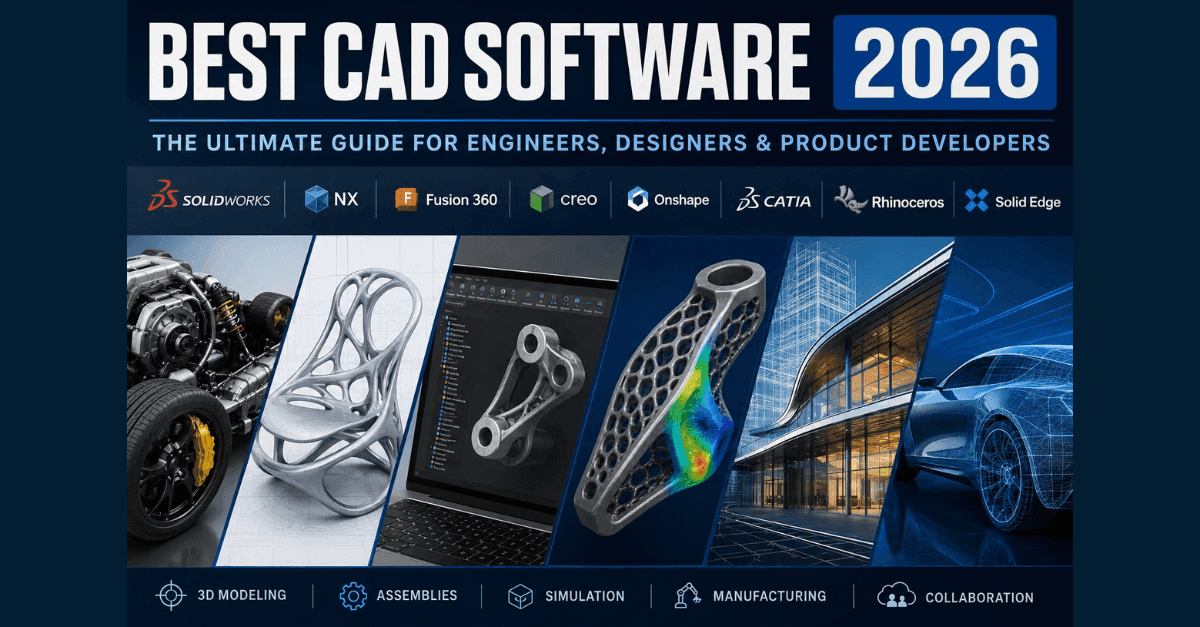
Best CAD Software 2026: The Engineer's Honest Guide
CAD (Computer-Aided Design) software selection is one of the highest-stakes engineering tool decisions an organization makes — because it constrains your PLM (Product Lifecycle Management) selection, your simulation toolchain, your manufacturing process, and your supply chain data exchange standards for the next decade. The "best" CAD tool for your organization is the one that fits your program complexity, your industry ecosystem, and the PLM vault that will manage the data it produces.
This guide covers sixteen platforms across the professional CAD spectrum in 2026: the enterprise three (CATIA, Siemens NX, PTC Creo), the midmarket leaders (SolidWorks, Solid Edge, Autodesk Inventor, Fusion 360, Onshape), the NURBS specialist (Rhino), and the emerging and specialist tools (InfinitForm, Metafold3D, Cognitive Design, nTop, Plasticity, Shapr3D, Blender).
The 2026 CAD Landscape at a Glance
| Platform | Vendor | Best For | Deployment | License |
|---|---|---|---|---|
| CATIA | Dassault Systèmes | Aerospace structures, Class-A surfaces, automotive body | Desktop + 3DEXPERIENCE cloud | Per-seat, annual |
| Autodesk Alias | Autodesk | Class-A surface styling, automotive exterior body design (upstream of engineering CAD) | Desktop | Per-seat, annual |
| CATIA ICEM Surf | Hexagon | Class-A surface modeling, European automotive OEM workflows (upstream of engineering CAD) | Desktop | Per-seat, annual |
| Siemens NX | Siemens DISW | Automotive powertrain, precision machining, NX CAM | Desktop + Xcelerator cloud | Per-seat, annual |
| PTC Creo | PTC | Industrial equipment, mechanism design, heavy machinery | Desktop + cloud | Per-seat, annual |
| SolidWorks | Dassault Systèmes | General mechanical engineering, midmarket | Desktop (SolidWorks Connected cloud option) | Per-seat, annual |
| Solid Edge | Siemens DISW | Midmarket mechanical, sheet metal, weldments, synchronous modeling | Desktop + cloud | Per-seat, annual |
| Autodesk Inventor | Autodesk | Plant/factory design, Autodesk ecosystem programs | Desktop | Per-seat, annual |
| Fusion 360 | Autodesk | Product development, CAD+CAM integration, generative design | Cloud-native | $680/yr individual |
| Onshape | PTC | Distributed teams, cloud-first workflows, startup to midmarket | Cloud-native (no desktop install) | Per-seat, annual |
| Rhino | Robert McNeel & Associates | NURBS freeform modeling, product design, jewelry, footwear, custom surface geometry | Desktop | $995 perpetual + maintenance |
| InfinitForm | InfinitForm | Manufacturing-aware generative design; parametric B-rep output for NX/Creo/CATIA/SW/Fusion | On Cloud and On-Premises | Contact vendor |
| Metafold3D | Metafold | Representation-agnostic geometry analysis, feature extraction, AM manufacturing pipeline infrastructure | Cloud-native (API-first) | Contact vendor |
| Cognitive Design Systems (CDS) | Cognitive Design | Manufacturing-driven design, DfM-first structural optimization, aerospace/defense | On-premise | Enterprise; contact |
| nTop | nTop Inc. | Implicit lattice and AM geometry, simulation-to-geometry loop, field-driven design | Desktop + cloud | Enterprise; contact nTop |
| Plasticity | Independent (Nick Kallen) | Concept hard-surface modeling; Parasolid quality at designer-friendly price | Desktop | $149–$299 perpetual |
| Shapr3D | Shapr3D | iPad-first Parasolid modeling; fast concept-to-engineering handoff | iPad + Desktop | $299/yr Pro |
| Blender | Blender Foundation | Concept visualization, rendering, SubD sculpting; upstream design exploration | Desktop | Free (open-source) |
Enterprise CAD: The Big Three
CATIA — Unmatched for Surface Design and Aerospace

CATIA is the oldest and most capable CAD platform for programs where geometric complexity is a first-class concern. Class-A surface design (the mathematically smooth surfaces required for automotive exterior body panels and aerospace aerodynamic structures), complex assembly management at 100,000+ part counts, and kinematic simulation are where CATIA has no equals in the professional market.
What makes CATIA irreplaceable:
-
Class-A surfacing (GSD — Generative Shape Design): The mathematical continuity requirements for automotive exterior surfaces (G0, G1, G2, G3 continuity across panel boundaries) are defined in CATIA and verified in CATIA. No other professional tool reaches this level of surface quality control at scale. (See Chapter 8: The Evolution of Surfacing Technologies for the history of NURBS and Class-A surface development.)
-
Aircraft structural design: CATIA's ELFINI structural analysis and SAMTECH simulation integration are production-proven for aerospace structural analysis at programs where FEM certification is required.
-
Part family and catalog management: CATIA's Knowledge Advisor and PowerCopy features make it the tool for programs with high part-family complexity — automotive option variants, configurable assemblies.
Where CATIA struggles: CATIA's complexity is proportional to its capability — it is not the right tool for general mechanical engineering where a parametric solid modeler and decent FEA are sufficient. Learning curve is steep. Licensing is expensive (CATIA licenses can run $15,000–$30,000 per seat per year for full capabilities).
Who uses it: Airbus (commercial aircraft), Bombardier, Dassault Aviation, Renault, Stellantis, Ferrari, BMW (body design), Boeing (select programs).
Autodesk Alias and CATIA ICEM Surf — Dedicated Class-A Surface Modelers
Class-A surface design is a specialized discipline that sits upstream of engineering CAD in the automotive design workflow. Before a body panel reaches CATIA or NX for structural engineering, it is styled and surface-developed in a dedicated Class-A tool — where G0 (positional), G1 (tangent), G2 (curvature), and G3 (rate-of-change-of-curvature) continuity is manually controlled across every boundary between surface patches. These are the tools that produce the geometry that CATIA's GSD module then receives, engineers, and releases to manufacturing. The full history of how NURBS and surface modeling tools evolved — from Pierre Bézier at Renault through ICEM Surf and Alias — is covered in Chapter 8: The Evolution of Surfacing Technologies.
Autodesk Alias is the dominant Class-A surface modeling tool in the automotive industry. It is used by exterior body designers and Class-A surface engineers at virtually every major OEM and Tier 1 studio. Alias runs a NURBS surface modeling environment purpose-built for automotive curvature control — its diagnostic tools (curvature combs, zebra stripes, environment maps) are the industry standard for verifying surface quality before handoff to engineering CAD. Output is typically IGES or STEP, received by CATIA or NX for engineering development. Alias AutoStudio is the professional automotive tier; Alias Design serves industrial designers in consumer products.
CATIA ICEM Surf (now Hexagon) is the other Class-A surface modeler with significant OEM adoption, particularly among European automotive manufacturers. ICEM Surf predates Alias in some OEM workflows and remains deployed at programs where its specific surface continuity control and analysis toolset is preferred. Hexagon acquired it via its MSC Software acquisition and continues to develop it as part of its manufacturing intelligence portfolio.
Important: Neither Alias nor ICEM Surf is an engineering CAD replacement. They do not manage assemblies, generate engineering drawings, run FEA, or integrate with PLM directly in the same way CATIA or NX does. They are styling-phase tools — the output of an Alias or ICEM Surf workflow is Class-A geometry that an engineer receives in CATIA and engineers into a releasable part definition.
Best fit: Automotive OEM exterior design studios, Tier 1 body-in-white suppliers, and industrial design studios producing consumer electronics or transportation products where surface quality is a customer-facing differentiator. Not appropriate for general mechanical engineering.
Siemens NX — Deepest CAD-CAM-PLM Integration

Siemens NX is the premier tool for programs where CAD, CAM (Computer-Aided Manufacturing), and simulation are tightly coupled. NX CAM is the most capable multi-axis CNC programming environment in the market; Simcenter NX provides FEA and thermal analysis directly on NX geometry without data translation; the native Teamcenter integration means that NX model data, revisions, and configurations are first-class PLM objects without format conversion.
What makes NX irreplaceable:
-
NX CAM: Multi-axis machining programming, toolpath verification, and machine simulation in the same environment as CAD. For aerospace machined parts (titanium bulkheads, complex impellers), NX CAM is the standard.
-
Simcenter NX: FEA directly on NX's parametric model — geometry changes in the model automatically propagate to the FEA mesh. This parametric FEA is NX's key advantage over simulation tools that require geometry export.
-
Teamcenter integration: NX files are native Teamcenter objects. Check-in/check-out, revision management, and BOM relationships are managed through the NX interface with Teamcenter's data model — no translation, no intermediate format.
Where NX struggles: NX's surface design capabilities are good but not at CATIA's Class-A level. NX is expensive (comparable to CATIA). The learning curve is steep, and unlike SolidWorks, the training ecosystem is smaller and more specialized.
Who uses it: BMW Group, Volkswagen Group, General Motors, Ford, Boeing Commercial Airplanes, Airbus Defence & Space, GKN Aerospace, Spirit AeroSystems, Caterpillar.
PTC Creo — The Parametric Standard for Mechanism Design

PTC Creo (formerly Pro/ENGINEER) is the parametric CAD platform for programs with complex mechanism design, tolerance stack-ups, and industrial equipment. Creo's parametric history is the oldest (Pro/ENGINEER was the first history-based parametric modeler, introduced in 1987), and its mechanism simulation (MDX — Mechanism Design Extension) and tolerance analysis (Tolerance Analysis Extension) are production-proven in heavy machinery.
What makes Creo irreplaceable:
-
Mechanism design: Creo's kinematic simulation handles complex mechanical assemblies — gearboxes, linkage mechanisms, cam-follower systems — with contact detection and force/torque output. This is Creo's differentiation from SolidWorks, which covers similar mechanisms but with less simulation depth.
-
Tolerance analysis: Creo's native tolerance stack-up analysis (3D tolerancing with ANSI Y14.5 and ISO standards) is required in precision manufacturing. Medical device manufacturers and automotive suppliers use it for functional tolerance validation.
-
Windchill integration: Creo and Windchill are both PTC products with native integration — Creo's parametric data model maps directly to Windchill's PDMLink data model. For Windchill PLM customers, Creo is the natural CAD choice.
Where Creo struggles: Creo's surface design capabilities (ISDX — Interactive Surface Design Extension) are good but below CATIA's Class-A level. SolidWorks' training ecosystem is larger, making staffing easier. Cloud deployment is less mature than Onshape or Fusion 360.
Who uses it: Parker Hannifin, GE Aviation (some programs), Lockheed Martin, John Deere, Harley-Davidson, medical device manufacturers in the Windchill ecosystem.
Midmarket CAD: Where Volume Is
SolidWorks — The Engineer's Tool of Record
SolidWorks is the most widely deployed professional CAD tool globally. It is not the most capable — CATIA, NX, and Creo each exceed SolidWorks in specific domains. But SolidWorks' combination of ease of use, training ecosystem (8,000+ certified partners, every engineering school teaches it), and sufficient capability for general mechanical engineering gives it dominant market share in the 1–200 seat segment.
Best fit: General mechanical engineering, consumer products, industrial equipment in the SMB segment, any program where engineering talent is the constraint and the tool must be learnable in weeks.
Notable: Dassault Systèmes owns both CATIA and SolidWorks. SolidWorks is being migrated to the 3DEXPERIENCE cloud (3DEXPERIENCE SolidWorks provides cloud collaboration via 3DSpace), but most SolidWorks users remain on the desktop version with SolidWorks PDM Standard or Professional as the vault.
Pricing: $4,000–$8,000 per seat per year for SolidWorks Premium (with simulation). Lower tiers available.
Autodesk Inventor — Factory and Plant Design Integration
Autodesk Inventor is Autodesk's parametric mechanical CAD tool, primarily used in the Autodesk Product Design & Manufacturing Collection — which bundles Inventor with Revit (architectural), AutoCAD (2D), Navisworks (review), and Factory Design Utilities (plant layout).
Best fit: Programs where factory/plant layout, piping and instrumentation (P&ID), and mechanical design are integrated workflows — chemical plants, factory design, HVAC systems. Also used in general industrial equipment by organizations already in the Autodesk ecosystem.
Where it competes: Inventor's mechanical capabilities are comparable to SolidWorks for general mechanical engineering but below Creo for mechanism-heavy programs. Autodesk Vault provides basic PDM; for full PLM, Autodesk customers use third-party systems.
Fusion 360 — Integrated Design, CAM, and Simulation
Fusion 360 is Autodesk's cloud-connected design-to-manufacturing platform that integrates CAD, CAM, simulation, and generative design in a single environment. It is not the most capable CAD tool in any single domain, but the integration of all four capabilities at $680/year per user makes it the most accessible professional design-through-manufacturing environment.
Best fit: Product development teams, hardware startups, and CNC machinists who need CAD + CAM integration without NX's cost. Generative design (topology optimization for additive manufacturing) is Fusion's unique differentiator — no other mainstream CAD tool has as mature a generative design workflow.
Where it struggles: Fusion 360 is not the right tool for aerospace structural design (no CATIA-grade surfacing), complex assembly management at 1,000+ parts (performance degrades), or programs requiring PLM integration (Fusion's PLM connectivity is limited).
Onshape — The Cloud-Native Alternative
Onshape is the only fully cloud-native professional CAD platform. There is no desktop installation — it runs entirely in the browser. Onshape's CAD functionality is comparable to SolidWorks for most general mechanical engineering workflows, and its cloud architecture provides unique collaboration capabilities: real-time multi-user editing (like Google Docs for CAD), instant version history, and zero file server management.
Best fit: Distributed engineering teams, companies that cannot manage CAD file servers, organizations where IT infrastructure management is a constraint, hardware startups that need professional CAD without license administration overhead.
The PLM question: Onshape was acquired by PTC in 2019. Onshape integrates with Arena (PTC's cloud PLM) for a fully cloud-based design-through-PLM workflow. For organizations wanting cloud CAD + cloud PLM without any on-premise infrastructure, the Onshape + Arena combination is the only native end-to-end option.
Rhino — The NURBS Standard for Custom Geometry
Rhino is the industry-standard tool for freeform NURBS modeling. Unlike parametric CAD tools, Rhino prioritizes direct surface definition using NURBS curves and patches — giving designers absolute control over geometric continuity, curvature distribution, and custom shapes that parametric feature trees cannot express. It has become dominant in product design, jewelry, footwear, architecture, and any application where custom organic or sculptural surfaces are primary.
What makes Rhino distinctive:
-
Pure NURBS modeling: Rhino's entire environment is built on NURBS geometry — curves, surfaces, and solids are all NURBS-based. This gives absolute control over surface continuity and mathematical properties. Engineers can verify and manipulate curvature directly, making Rhino the tool of choice for custom Class-A surface design at a fraction of CATIA's cost.
-
Grasshopper parametric plugin: Rhino's visual programming environment, Grasshopper, allows parametrically-driven NURBS design through node-and-wire definition — a paradigm distinct from feature-tree CAD. Designers build reusable parametric logic (loft a surface between two curves, array geometry based on a pattern, optimize shape against simulation constraints) without traditional CAD history. For organizations that want parametric design but cannot afford CATIA, Grasshopper provides powerful automation.
-
Massive plugin ecosystem: Rhino's open plugin architecture has attracted hundreds of third-party developers. Simulation (Karamba3D, Ladybug), industrial design (KeyShot for rendering), structural analysis (Millipede), and manufacturing (SpaceClaim-like direct modeling via T-Splines and SubD) are all accessible within Rhino through plugins. This extensibility is Rhino's core strength.
-
Rendering and visualization: Rhino's tight integration with Keyshot and Flamingo (native rendering) makes design iteration fast — models can be rendered photorealistically without data export.
Where Rhino struggles: Rhino is not parametric in the traditional feature-tree sense. Design changes require re-modeling or re-parameterizing in Grasshopper rather than editing feature history. Rhino has no native assembly management, no native FEA, no native CAM, and critically, no native PLM integration. Rhino models must be exported to STEP and imported into SolidWorks, NX, or CATIA for engineering development, which requires re-modeling work.
Best fit: Product designers producing custom surface geometry (consumer electronics, furniture, footwear, jewelry, sports equipment), architects (Rhino is standard in architecture), marine and yacht design, industrial designers prototyping sculptural forms, research and art installations.
Pricing: $995 perpetual license with annual maintenance (~$200). This makes it one of the lowest-cost professional NURBS tools — a fraction of CATIA's cost.
Solid Edge — Synchronous Technology and the Siemens Midmarket Play
Solid Edge is Siemens' midmarket CAD tool — the direct competitor to SolidWorks in the 1–200 seat segment. Like SolidWorks, Solid Edge runs on the Parasolid kernel and delivers a full parametric solid modeling environment. What differentiates it is Synchronous Technology: a hybrid modeling paradigm that allows engineers to edit geometry with direct modeling flexibility (push/pull faces, move features) without losing the ability to use parametric constraints and history when needed. It is the only mainstream CAD tool that genuinely blurs the parametric/direct boundary in a single model.
What makes Solid Edge distinctive:
-
Synchronous Technology: Direct and parametric modeling coexist in the same part. Engineers can grab and move faces without navigating a feature tree, then add parametric relationships when locking down a design. This reduces design iteration time on late-stage changes and imported geometry.
-
Sheet metal and weldments: Solid Edge's sheet metal unfolding, bend allowance management, and weldment modeling are production-proven and competitive with SolidWorks' sheet metal tools. It is a strong choice for fabrication-heavy programs.
-
Siemens ecosystem: Solid Edge integrates natively with Teamcenter for PLM, giving midmarket companies access to the same PLM backbone as NX programs. For organizations that want Teamcenter without NX's cost and complexity, Solid Edge is the path.
-
Parasolid hybrid capabilities: As with NX, Solid Edge benefits from Parasolid's implicit math for offsets, Booleans, and NURBS surface editing — giving it robust behavior on operations that stress lesser kernels. (See Chapter 4: Solid Edge vs. SolidWorks — Two Different Paths to Parasolid for how Solid Edge migrated from ACIS to Parasolid, and Chapter 3: Proprietary vs. Licensed Kernels for how Parasolid became the dominant licensed kernel.)
Where Solid Edge struggles: It has a smaller training ecosystem than SolidWorks, which means staffing is harder. The Synchronous Technology paradigm, while powerful, has a learning curve distinct from pure parametric workflows, which can slow onboarding for engineers coming from SolidWorks or Creo.
Best fit: Mid-market manufacturers with sheet metal, weldment, or fabrication-heavy products; organizations wanting Teamcenter PLM without NX cost; engineers who frequently edit imported or late-stage geometry.
Pricing: Comparable to SolidWorks, approximately $4,000–$7,000 per seat per year.
Emerging CAD: Generative and Implicit Platforms
The platforms above are built on B-rep (Boundary Representation) geometry — explicit surface boundaries computed from NURBS and parametric operations. For a deep technical treatment of how geometry kernels work and why B-rep became the dominant paradigm, see Chapter 1: Geometry Kernel Anatomy 101 and Chapter 2: The Cambridge Connection. A new class of tools uses implicit geometry, volumetric representations, and manufacturing-aware constraint solving that unlocks design spaces inaccessible to conventional B-rep: arbitrarily complex lattice structures, triply periodic minimal surfaces (TPMS), topology-optimized organic forms, and simultaneously manufacturing- and simulation-aware design generation. For a full comparison of NURBS, parametric, direct, and implicit modeling paradigms, see Four Ways to Define a Solid: The CAD Modeling Paradigms Behind Modern PLM. These platforms are not yet PLM-integrated enterprise tools in the traditional sense, but they are redefining what the design-to-manufacturing pipeline can automate.
InfinitForm — Manufacturing-Aware Generative Design with Parametric B-rep Output
InfinitForm is a manufacturing-aware and simulation-aware generative design platform that solves manufacturing and structural constraints simultaneously at the algorithm level, producing fully parametric CAD with an editable feature tree that opens natively in NX, SolidWorks, CATIA, Creo, and Fusion 360.
The key distinction from topology optimization add-ons: InfinitForm generates design directly from requirements across CNC 5-axis, extrusion, injection molding, die casting, and additive manufacturing — not as a post-processing step, but as the primary design method. At the Siemens PLM Components Innovation Conference 2026, InfinitForm founder Michael Bogomolny demonstrated how design requirements flow directly into generated geometry that returns to NX, CATIA, SolidWorks, and Fusion 360 with full parametric feature trees.
Best fit: Engineering teams designing for CNC 5-axis, extrusion, injection molding, die casting, or additive manufacturing where design requirements should drive geometry rather than vice versa; programs wanting manufacturing-aware generative output that lands directly in their existing CAD/PLM environment.
Differentiator: Output is fully parametric B-rep with editable feature tree — not mesh, not STL — so the generated geometry is usable as native CAD in downstream NX, Creo, CATIA, and Fusion workflows without re-modeling.
Limitation: Early-stage platform; the full range of manufacturing process constraints and PLM workflow integrations are still expanding.
Listen: Null to Infinity: AI-Driven Engineering Workflows — with InfinitForm · Episode on DemystifyingPLM
Metafold3D — Geometry Analysis and AM Design Infrastructure
Metafold3D is a representation-agnostic geometry platform that converts 3D geometry into actionable information for manufacturers. Founded by Elissa Ross (PhD, mathematics), the platform is built on the principle that manufacturing analysis should not depend on how geometry is represented — whether parametric, implicit, or triangulated mesh — but on the shape itself. Metafold extracts features (sharp edges, holes, curvature, connectivity) and converts geometry into feature vectors usable as inputs to machine learning models and automated manufacturing decision pipelines.
Best fit: Teams building automated design-to-manufacturing pipelines where geometry must be analyzed, validated, and converted across representations; manufacturers needing to extract manufacturing-relevant features from diverse geometry formats (aerospace, electronics, footwear).
Differentiator: Metafold's API-first architecture allows geometry analysis and transformation to be embedded in existing manufacturing tools rather than requiring a new design environment. The platform handles the hard problem of representation normalization: a shape in B-rep, mesh, or implicit SDF produces the same feature extraction output.
Limitation: Metafold3D is a geometry infrastructure platform, not a full CAD environment — it does not provide parametric feature-tree modeling, assembly management, or native PLM integration. It is used as a computational layer in a broader AM or ML-enabled manufacturing workflow.
Listen: The Infrastructure Layer: AI for Product Complexity — with Metafold · Episode on DemystifyingPLM
Cognitive Design Systems (CDS) — Manufacturing-Driven Design
Cognitive Design (by Cognitive Design Systems) takes a Manufacturing-Driven Design (MDD) philosophy: rather than optimizing geometry and then checking for manufacturability, Cognitive Design solves performance and manufacturing constraints simultaneously from the first computation. The platform supports five manufacturing processes — molding, machining, casting, additive manufacturing, and forging — with automated DfM correction integrated at every stage.
Best fit: Aerospace, defense, automotive, and space engineers targeting high-value structural components (brackets, gearbox housings, structural nodes) where weight and cost optimization are primary KPIs; organizations with regulated manufacturing processes needing automated feasibility checks from concept phase.
Differentiator: Cognitive Design built its own geometry kernel based on implicit modeling — not Parasolid or OpenCascade — giving it full control over how manufacturing constraints interact with geometry at the algorithm level. The DfM-first approach means designs are manufacturable by construction, not after-the-fact. Cognitive Design has demonstrated significant cycle time compression on aerospace programs, including structural components for Safran.
Limitation: Most specialized platform in this category; narrower applicability outside performance-critical mechanical parts. Output still requires conversion to CAD formats for final documentation and PLM integration.
Listen: Removing Bottlenecks That Burn Budgets — with CognaSIM and CDS · Episode on DemystifyingPLM
nTop — Implicit Modeling for Complex AM Geometry
nTop (formerly nTopology) pioneered implicit modeling for commercial engineering applications and remains the most mature platform in the generative CAD category. Its field-driven design approach closes the simulation-to-geometry loop: stress fields, thermal maps, and density distributions become direct inputs to geometry parameters without manual interpretation.
Best fit: Aerospace and defense engineers designing lattice-filled, topology-optimized additive components; medical device engineers designing osseointegrative orthopedic implants; teams with automated, reusable design workflows across part families; heat exchanger and thermal management design.
Differentiator: nTop's implicit modeling engine guarantees that operations like booleans, offsets, rounds, and drafts never fail — directly addressing the #1 pain point in complex AM geometry development. CodeReps, nTop's open geometry standard, carries implicit model intent rather than just a converted B-rep shell.
Limitation: Steep learning curve for engineers accustomed to feature-based CAD. Implicit geometry must be converted to B-rep or mesh for downstream CAD/PLM integration. Enterprise licensing — contact nTop for pricing.
Listen: AI-Powered Innovation in Engineering Design — with nTop and Neural Concept · Episode on DemystifyingPLM
Plasticity — Parasolid B-rep for Designers on a Budget
Plasticity is a direct-modeling CAD tool built on the Parasolid kernel — the same mathematical foundation as SolidWorks and NX (see Chapter 15: The Kernel Wars — A Modern Perspective for Parasolid's dominance across MCAD) — at a $149–$299 perpetual price with no subscription. Designed for game artists and product designers transitioning from polygonal modeling tools like Blender, it dramatically lowers the learning curve for anyone who needs NURBS-quality geometry without the overhead of a full parametric MCAD system.
Best fit: Game artists and product designers transitioning from Blender or HardOps; concept designers who need STEP/Parasolid output for downstream engineering without full CAD subscription costs; independent designers and small studios; prototyping hard-surface geometry for consumer electronics, vehicles, and furniture.
Differentiator: Enterprise-grade Parasolid kernel geometry at a fraction of SolidWorks cost. The Studio tier includes xNURBS (normally a $400 Rhino add-on), adding variational surfacing capability that rivals Class-A surface tools.
Limitation: No parametric history, no simulation, no PDM, no BOM. Not suitable for large assemblies or regulated engineering environments. Company is a one-person independent development.
Shapr3D — Parasolid CAD for iPad and Tablet-First Workflows
Shapr3D is the only professional CAD tool designed from scratch for tablet-first workflows — its Parasolid kernel delivers certified B-rep geometry through an interface designed for Apple Pencil input on iPad, closing the gap between concept sketch and manufacturable geometry in a single session. The 2024 desktop release extends this to Windows and macOS.
Best fit: Industrial designers and product designers who need a tablet-native NURBS modeling workflow; solo designers and small teams requiring fast concept-to-engineering handoff; teams needing direct STEP/IGES export to SolidWorks, CATIA, or NX with geometry preserved; product design studios where gesture-driven 3D sketching accelerates ideation.
Differentiator: Tablet-first Parasolid modeling is unique in the market — no other tool combines the sketching immediacy of an iPad interface with the geometric quality of SolidWorks' kernel. The 2023 parametric modeling layer adds history-based feature control alongside its traditional direct-modeling workflow.
Limitation: Less capable than dedicated MCAD platforms for large-assembly management, complex parametric dependencies, and engineering drawing documentation. Best positioned as a fast-concept and direct-modeling tool that exports to a downstream MCAD environment.
Blender — Open-Source 3D for Concept Visualization
Blender is the dominant open-source 3D content creation platform — photorealistic rendering (Cycles/EEVEE), sculpting, SubD modeling, animation, and simulation in a single application at zero licensing cost. In the CAD context, Blender occupies the upstream concept visualization role: a Blender concept mesh provides aesthetic direction and design language before geometry is rebuilt in a B-rep or parametric tool for engineering workflows.
Best fit: Concept visualization and upstream industrial design exploration before geometry moves into an engineering CAD tool; game artists, VFX designers, and animation professionals working on product visualization; designers transitioning into engineering workflows already fluent in Blender's sculpting and SubD tools; low-budget teams requiring high-quality 3D renders alongside concept geometry.
Differentiator: Zero licensing cost, photorealistic rendering, and a massive community. Plasticity's community of users coming from Blender reflects the natural handoff pattern: Blender for concept, Plasticity or Rhino for geometry rebuild, SolidWorks/NX for engineering.
Limitation: No B-rep kernel — Blender cannot produce certified NURBS or Parasolid geometry. No BOM, PDM, engineering standards compliance, or drawing documentation. Mesh output requires retopology and rebuild in a NURBS or parametric tool before entering any engineering workflow.
The CAD–PLM Selection Constraint
CAD and PLM (Product Lifecycle Management) selection are coupled decisions. The native integration between a CAD tool and a PLM system is always deeper than a connector-mediated integration:
| CAD Tool | Native PLM Integration |
|---|---|
| CATIA | 3DEXPERIENCE / ENOVIA (Dassault) |
| Siemens NX | Teamcenter (Siemens DISW) |
| PTC Creo | Windchill (PTC) |
| SolidWorks | 3DEXPERIENCE SolidWorks, SolidWorks PDM |
| Solid Edge | Teamcenter (Siemens DISW) |
| Onshape | Arena (PTC) |
| Rhino | No native PLM integration; STEP export for downstream CAD/PLM import |
| Fusion 360 | Autodesk Vault, limited PLM integration |
| InfinitForm | Output is parametric B-rep with feature tree; imports natively into NX, SolidWorks, CATIA, Creo, Fusion 360 |
| Metafold3D | No native PLM integration; API-based pipeline output |
| Cognitive Design | Output requires conversion to CAD formats for PLM integration; no native PDM connector |
| nTop | Implicit geometry requires conversion to B-rep for PLM attachment; CodeReps format for model intent transfer |
| Plasticity | STEP/Parasolid export; no PDM or PLM integration |
| Shapr3D | STEP/IGES export to SolidWorks, CATIA, or NX; no native PLM integration |
| Blender | FBX/OBJ/STL export only; no PLM integration; geometry must be rebuilt in a B-rep tool before engineering workflows |
If your PLM selection drives your CAD selection (which happens in supply chains where OEMs dictate CAD format to suppliers), the table above shows which CAD tool is native to each PLM.
The Supply Chain Reality
Supply chains constrain CAD choice regardless of what the selection framework says. If your largest customer runs NX and requires design data in JT format with Teamcenter metadata, you are running NX. If you are an Airbus tier-1 supplier, you are running CATIA. The format exchange standards (STEP AP242, JT, 3D PDF) reduce but do not eliminate the dependency on the native format.
Before finalizing CAD selection, answer: What CAD format does my largest customer or supply chain require, and what format do my key suppliers deliver in?
Startups to Watch: Design Intelligence
The incumbents above own the enterprise CAD market and the core B-rep kernel ecosystem. The following startups are building the next generation of design tools — five picks from the ThreadMoat Design Intelligence category:
| Startup | What they do | Why they matter |
|---|---|---|
| nTop | Implicit modeling for complex geometry — lattices, organics, and topology-optimized structures that B-rep tools cannot represent | nTop's field-based modeling is the most credible challenge to B-rep parametric CAD in the market; already deployed in aerospace, medical, and motorsport for parts that cannot be designed in CATIA or NX |
| Shapr3D | iPad-first parametric CAD with full history and STEP export | Born as a sketch tool, now a full parametric history modeler; the only CAD platform designed for touch-first use that exports engineering-grade geometry into enterprise PLM workflows |
| Bench | AI-native CAD assistant built for mechanical engineers, not demo videos | Takes the "AI for CAD" promise seriously: automating the repetitive parametric edits, constraint setup, and drawing annotation that occupy 40% of senior engineers' time |
| Cognitive Design by CDS | Knowledge-based engineering and design automation for complex product configurations | Brings the KBE (Knowledge-Based Engineering) workflow that aerospace OEMs have used internally for decades to the mid-market, encoded as configurable rules rather than custom scripts |
| Plasticity | Direct modeling CAD for industrial design and complex surface work | Fills the gap between NURBs-heavy industrial design tools and parametric engineering CAD; faster for concept exploration than feature-based modelers, with clean STEP export |
See the full ThreadMoat Design Intelligence list (29 companies) at threadmoat.com/lists/design-intelligence.
Related Articles
- CAD Modeling Paradigms: NURBS vs Parametric vs Implicit — the modeling paradigms that underlie the tools in this guide
- What is a Geometric Kernel? — the mathematical engine inside every CAD system evaluated here
- What is CAD Interoperability? — how data moves between the CAD systems in this guide
Related Glossary Terms
- CAD (Computer-Aided Design) — the discipline and tools covered in this guide
- CAM (Computer-Aided Manufacturing) — manufacturing tool programming that CAD feeds
- CAE (Computer-Aided Engineering) — simulation and analysis that CAD geometry enables
- PLM (Product Lifecycle Management) — the system that manages CAD data alongside all other product data
- Digital Thread — the connected data backbone that links CAD to PLM to manufacturing
Related Buyer's Guides
The ThreadMoat Buyer's Guide series covers the full engineering and manufacturing software stack — nine guides, one framework per category:
- Best PLM Software 2026 — VAULT framework · product lifecycle, BOM, change management
- Best CAD Software 2026 — design tool selection matched to supply chain and program complexity
- Best CAM Software 2026 — SWARF framework · CNC programming, postprocessor quality, AI machining stack
- Best Simulation Software 2026 — SOLVE framework · FEA, CFD, AI surrogates, O-first fidelity evaluation
- Best MES Software 2026 — MINT Stack · manufacturing execution, IIoT, unified namespace
- Best EAM/APM Software 2026 — FIELD framework · asset management, predictive maintenance, connected worker
- Best BIM Software 2026 — BUILD framework · AEC authoring, construction coordination, digital twin
- Best SCM Software 2026 — CHAIN framework · supply chain planning, horizon ownership, risk visibility
- Best IIoT Platforms 2026 — PULSE framework · industrial connectivity, unified namespace, edge, historian
All guides: no vendor funding, no analyst-quadrant hedging. Full vendor scorecards and competitive data at threadmoat.com.
Sources
Want to listen instead of read? 56 DemystifyingPLM articles are available as audio.
Browse audio →Show all chapters ▸Hide chapters ▾
- 1Best CAD Software 2026: The Engineer's Honest Guide
- 2Best PLM Software 2026: Q1 Edition (Archived)
- 3Best CAM Software 2026: The Machinist's Independent Guide
- 4Best MES Software 2026: Q1 Edition (Archived)
- 5Best Simulation Software 2026: Incumbents, Specialists, and the New Constellation
- 6Best MES Software 2026: The Manufacturer's Independent Guide
- 7Best PLM Software 2026: The Independent Buyer's Guide
- 8Best Operations & Asset Management Software 2026: The CIO's Independent Buyer's Guide
- 9Best BIM Software 2026: The Independent Buyer's Guide for AEC and Owner Organizations
- 10Best IIoT Platforms 2026: The Manufacturer's Independent Buyer's Guide
- 11Best SCM Software 2026: The Supply Chain Independent Buyer's Guide
Looking up PLM terminology? Browse the canonical reference.
PLM Glossary →Cite this article
Finocchiaro, Michael. “Best CAD Software 2026: The Engineer's Honest Guide.” DemystifyingPLM, January 15, 2026, https://www.demystifyingplm.com/best-cad-software-2026
PLM industry analyst · 35+ years at IBM, HP, PTC, Dassault Systèmes
Firsthand knowledge of the evolution from early 3D modeling kernels to today's cloud-native platforms and agentic AI — the history, strategy, and future of PLM.